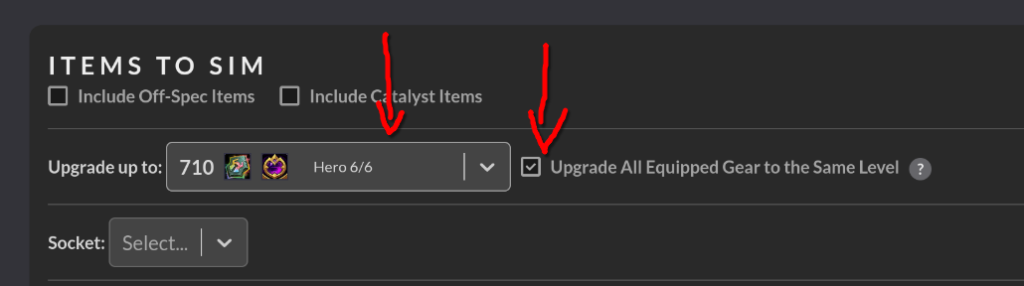
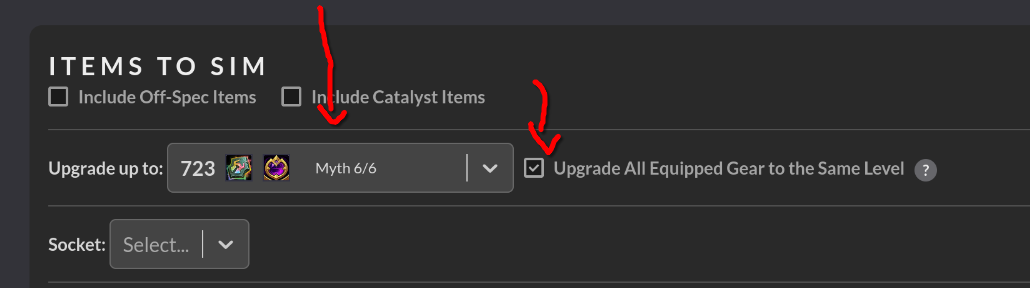
IMPORTANT UPDATE: As of 2025-09-04 SIMs need to be done by checking “Upgrade to 6/6 Heroic or 6/6 Mythic” and “Upgrade All Equipped Gear to the Same Level”
Doing your character SIM correctly and updating your WoWAudit loot lists is extremely important. The loot council relies on the mathematical data provided by both when trying to determine where loot is sent. If you do not update your character SIM there is a chance you won’t even be on the list of eligible looters which can lead to misunderstandings and oversight.
Step 1: Install and Update SimulationCraft Addon
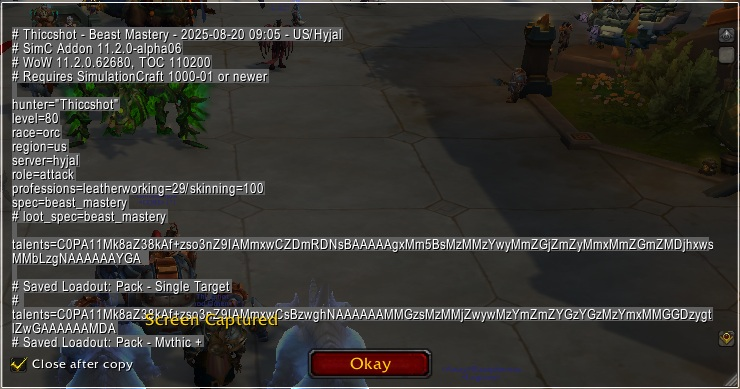
Once installed, in game make sure your character is in your single target raid spec. Type /simc and a box will open with pre-selected text. Copy this text to your clipboard.
Step 2: Raidbots and Droptimizer
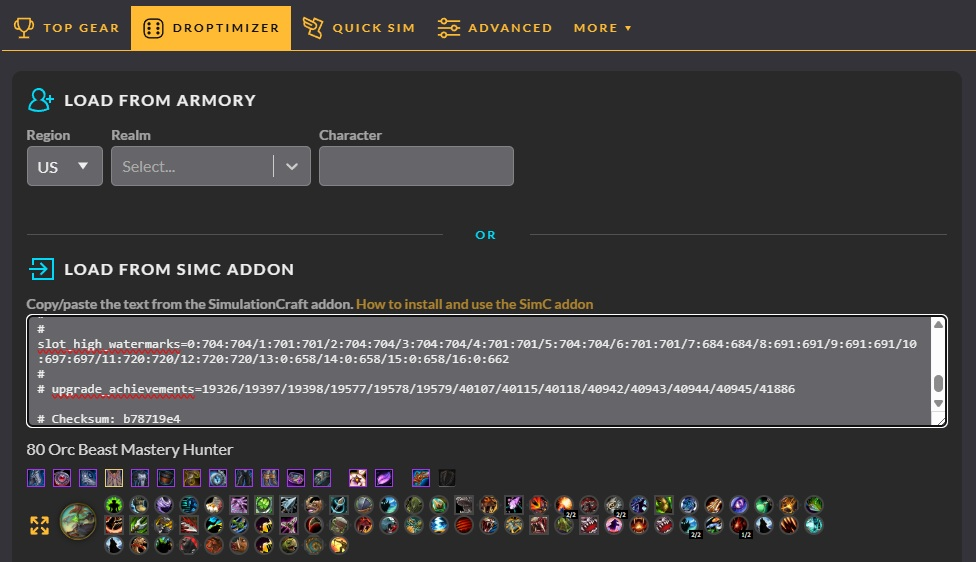
Navigate to https://www.raidbots.com/simbot/droptimizer and paste the code from Step 1 into the field.
Under “Source” Select Manaforge Omega:

Under “Difficulty” select Normal for your first SIM and then re-do the SIM using Heroic.


Under “Items to SIM” make sure that it is set to “6/6 Upgrade” and that the “Upgrade All Equipped Gear to the Same Level” is checked:
Under “Simulation Options” make sure you are set to the default values which should be the same as below:
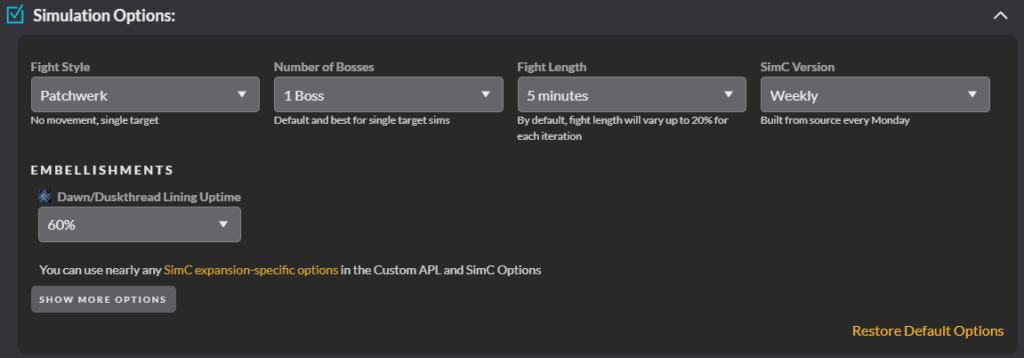
Click on “Run Droptimizer” at the bottom. Pro Tip: You can have two browser windows open and run your Normal and Heroic SIM at the same time!!!
When your SIM has completed you will see a screen like this: